When enabling Copyleaks, you must first ensure that Turnitin is not active. Follow these steps to remove it from your Assignment Folder:
- Edit Your Assignment Navigate to your assignment and select the edit option.
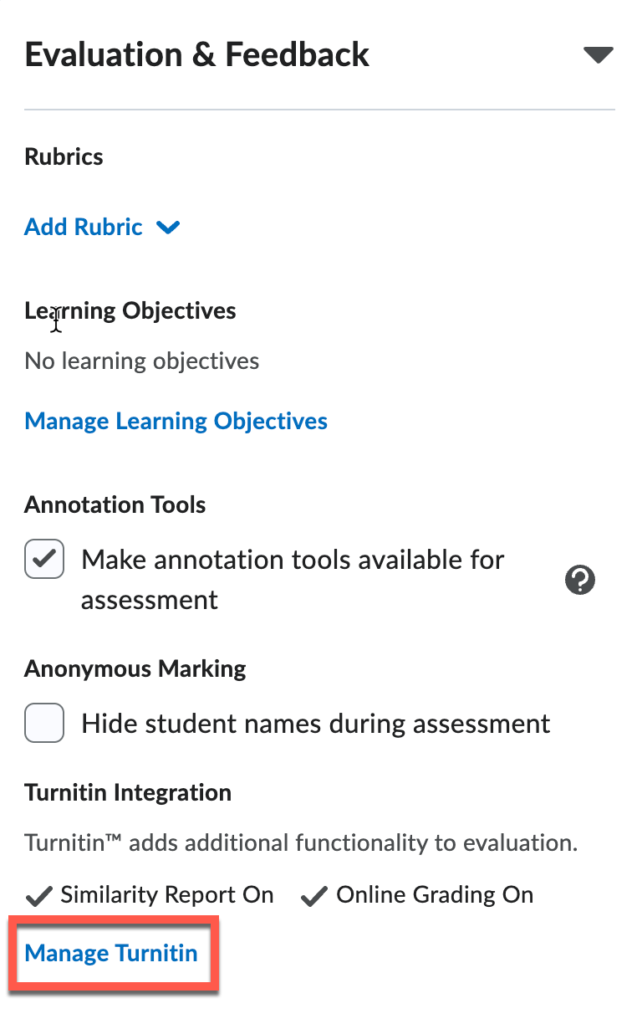
- Access Turnitin Settings Under “Evaluation and Feedback,” scroll down until you see “Turnitin,” then click “Manage Turnitin.”
- Disable Online Grading (Do this first) Under the “Online Grading” section, uncheck the box labelled “Enable Online Grading for this folder.”
- Disable Similarity Report (Do this second) Under the “Similarity Report” section, uncheck the box labelled “Enable Similarity Report for this folder.” Important: You must complete these steps in this exact order, or the process will not work.
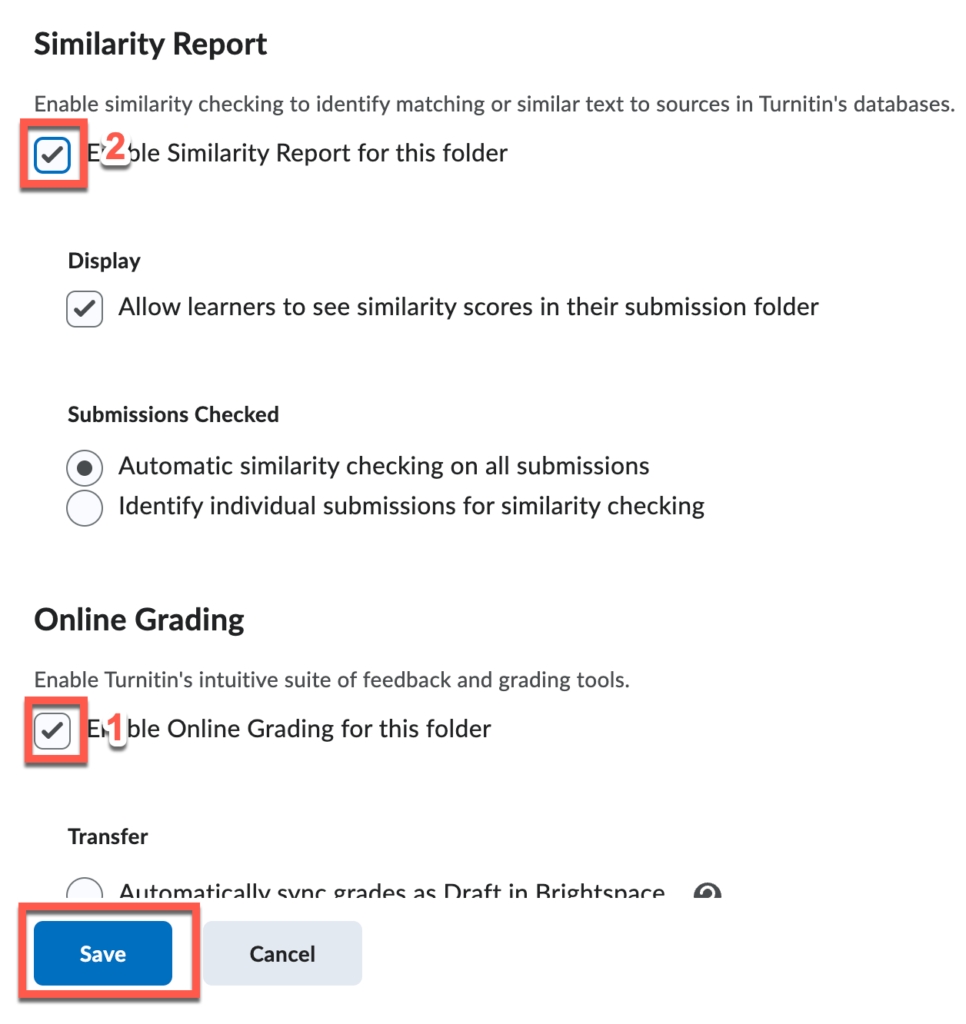
- Save Your Changes Click “Save,” then click “Save and Close.”
